

Your coverage, in your pocket.
Your policies, your member ID, the documents we have sent you, and a straight line to your agent. All on your phone, in English or Spanish.
Free · iPhone · iOS 17 or later · English & Español
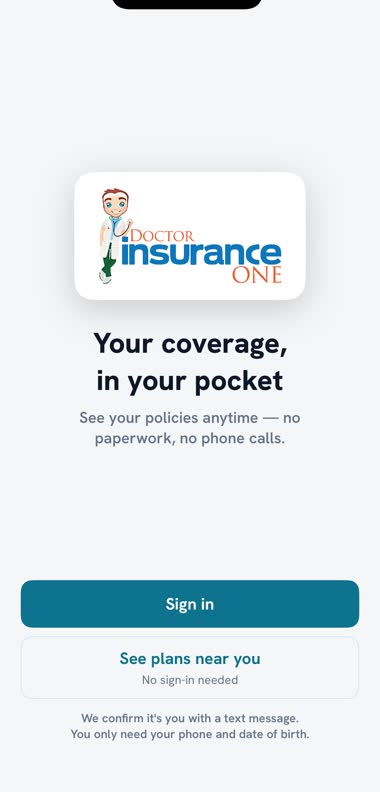
Start here
Already a client?
Sign in with your phone number and date of birth. We text you a code, so there is no password to remember.
Not a client yet?
You can compare plans in the app without signing in. No account, no Social Security number, nothing to pay.
On Android?
Not yet. The app is iPhone only today. Call us on (800) 305-7709 and we will do it all by phone, the way we always have.
See what a plan costs where you live, before you talk to anybody.
Three questions: your ZIP code, how many people are on your tax return, and roughly what your household makes in a year. That is the whole thing. You get the companies that sell in your county and what their plans cost with the help you qualify for already taken off.
Found one you like? Tap “I want this plan” and a licensed advisor calls you to finish it. Would rather talk first? “Call an advisor” sits on every screen.
Prices in the app are an estimate for a household like yours. Those three questions never ask anyone’s age, and age changes the price. Doctor Insurance One is a licensed insurance agency and this is a comparison tool, not an application. The Marketplace decides what you qualify for from a full application.
What you can do with it
See every policy
Health, Medicare, life, dental and vision, for everyone in the household, with what you actually pay each month after your subsidy.
Find your member ID
The number the doctor’s office asks for, without going through a drawer.
Open your documents
Your ID card, a letter from the carrier, your 1095-A. Whatever your agent has shared, on the policy it belongs to.
Message your agent
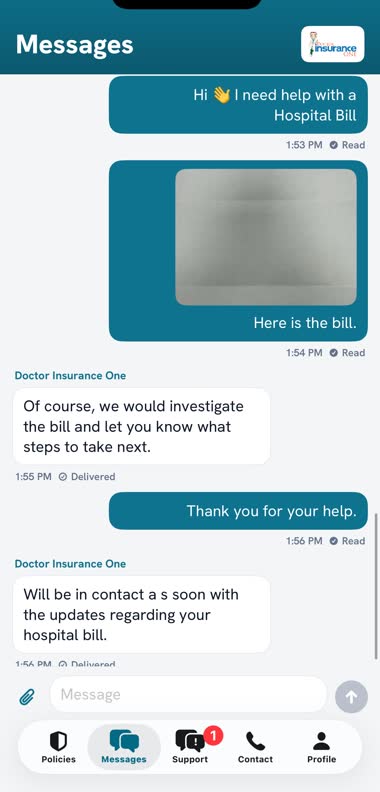
The same conversation you already have by text, photos included, and you can see when we have read it.
Ask for what you need
Seven things you would normally telephone about, each one a couple of taps.
Update the card you pay with
Photograph it. Never type it.
From nothing to signed in, in about two minutes
Get the app
Search the App Store for “Doctor Insurance One”, or use the button on this page. It is free, and at about 3 MB it will download on your phone signal.
Sign in
Tap “Sign in”. Put in the phone number we have on file for you and your date of birth. If they match, we text you a six-digit code, good for ten minutes. Type it in and you are through. There is no password to create and none to forget.
Only the main person on the policy can sign in
The app opens the whole household’s coverage, so the person who signs in is the primary insured, the one the policies are under. It has to be the phone number and date of birth we hold. If it says we do not recognise you, it is almost always an old phone number on your record. Call us on (800) 305-7709 and we will put it right in a minute.
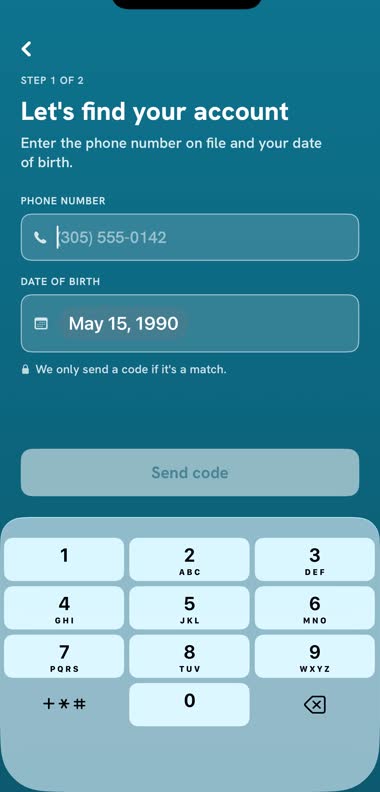
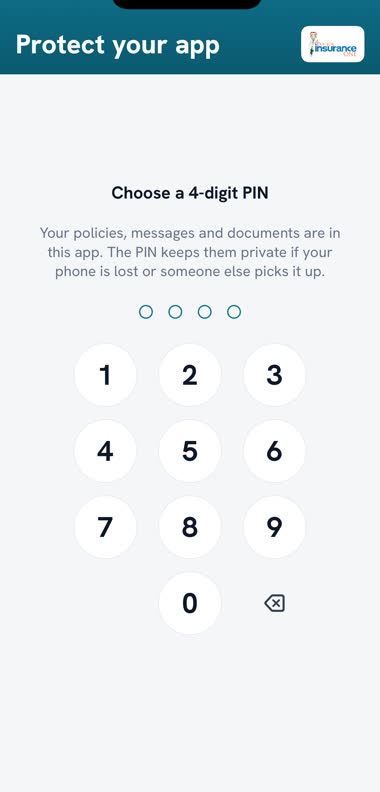
Choose a PIN
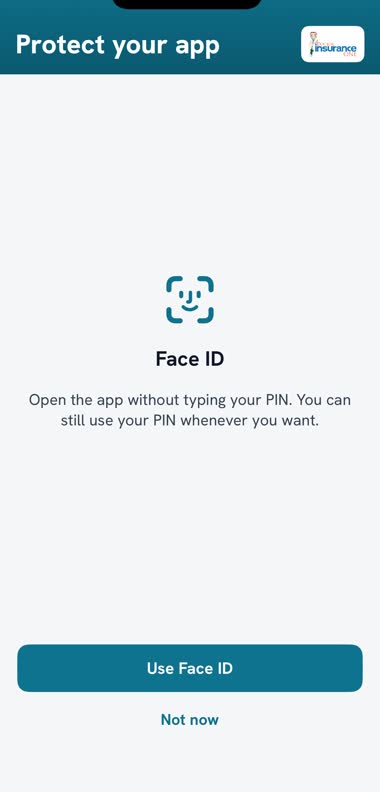
The first time you sign in, the app asks for a four-digit PIN, and asks again whenever you come back to it after a while. It is there for the one case your iPhone’s own lock does not cover: a phone taken while it is already unlocked. Turn on Face ID if you would rather not type it.
Your PIN never leaves your phone and we cannot look it up. Forgotten it? Sign in again with your phone number and date of birth. After five wrong tries the app signs you out, for the same reason it asked in the first place.
Your policies
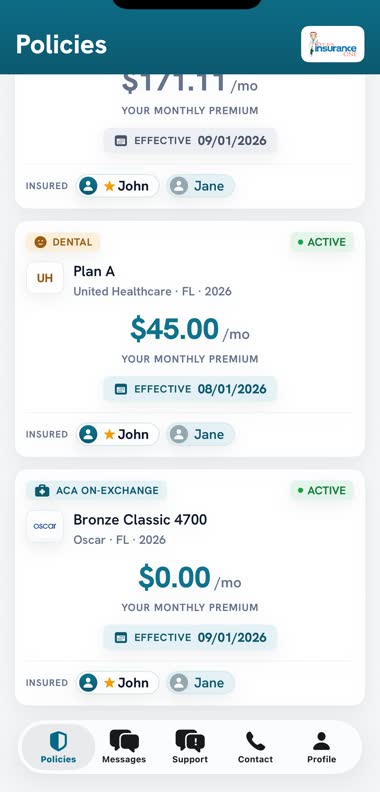
Every policy in the household on one screen. The large number is what you pay, not what the plan costs.
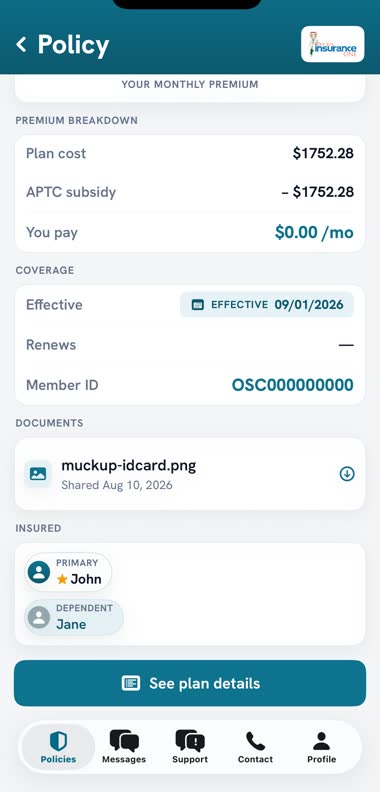
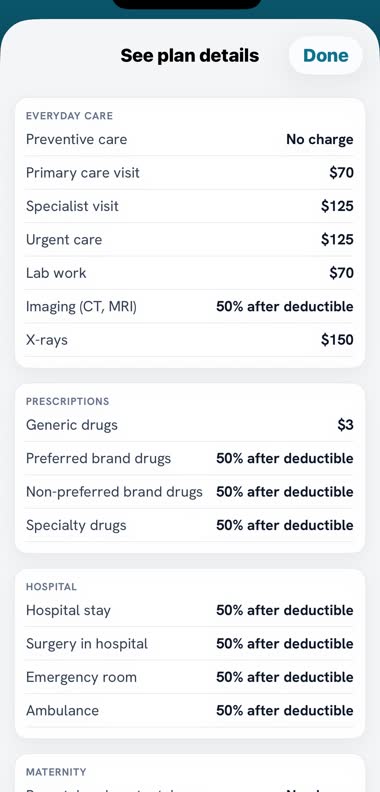
Tap any policy and you get the breakdown (plan cost, the subsidy, what is left for you), plus your Member ID, the effective date, who is covered, and any document we have shared with you. “See plan details” opens what the plan actually covers: the copay for a doctor’s visit, what a generic prescription costs, the deductible.
Messages
The Messages tab is the same conversation you already have with us by text, so there is nothing new to learn and nothing left behind. Send a photograph of a bill or a letter. You can see when we have read yours, and we can see when you have read ours.
If we write and you have not opened it within fifteen minutes, we text you as well. Nothing important is going to sit unread inside an app.
Notifications arrive quietly. The app never interrupts you with a permission box, and what we wrote never appears on your lock screen. It says only that you have a new message.
Ask us for what you need
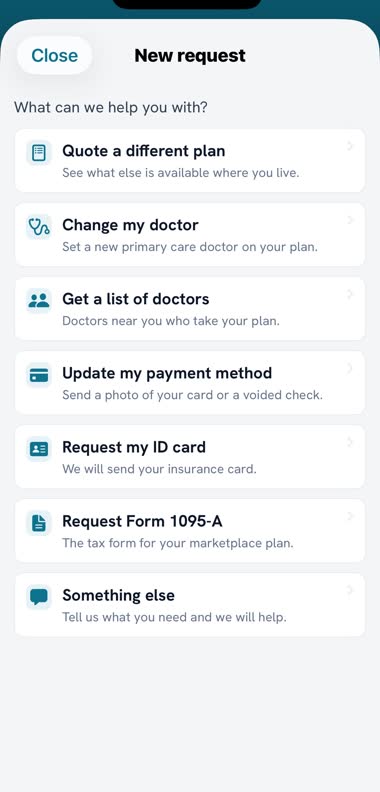
Support → New request. Seven things, rather than an empty box asking you to describe your issue:
- Quote a different planSee what else is available where you live.
- Change my doctorSet a new primary care doctor on your plan.
- Get a list of doctorsDoctors near you who take your plan.
- Update my payment methodSend a photo of your card or a voided check.
- Request my ID cardWe will send your insurance card.
- Request Form 1095-AThe tax form for your marketplace plan.
- Something elseTell us what you need and we will help.
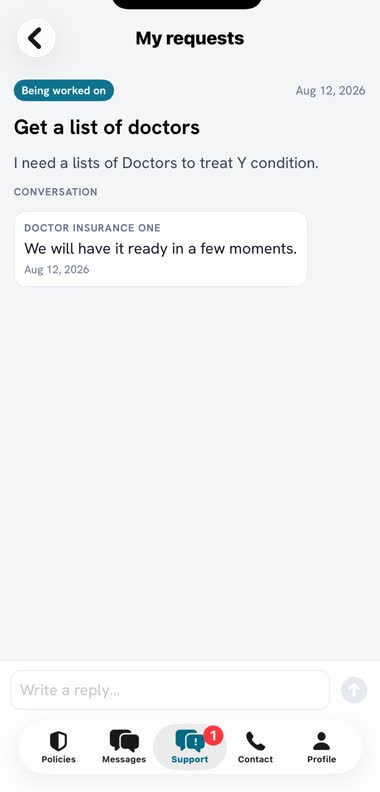
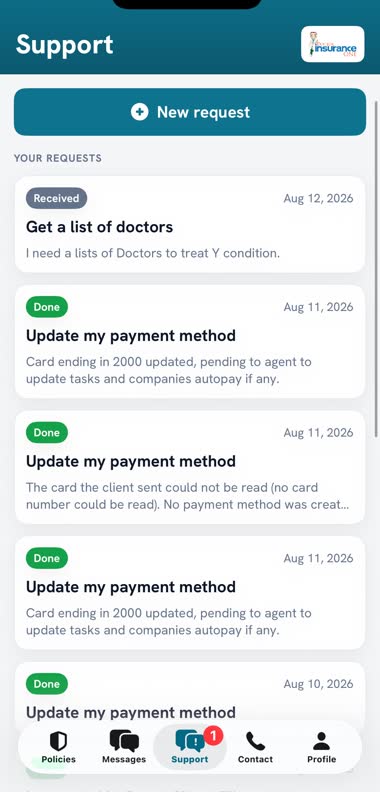
- Received
- Being worked on
- Needs you
- Done
Updating the card you pay with
Choose a card or a check, then photograph the front and the back. The camera waits until the picture is sharp and tells you there and then if it cannot read the number, while the card is still in your hand rather than hours later.
Before it sends, you are asked to authorise the payment. That sentence is what we keep on file as your permission, so it is worth reading rather than tapping past.
Never type your card number into the message box
Photograph it instead. Only your agent sees the photograph, and we delete it within 72 hours of updating your payment information, or within a week if the picture could not be read and one of our staff had to read the card by hand. If you would rather give us the number by phone, call the office; you never have to photograph anything.
Everything else
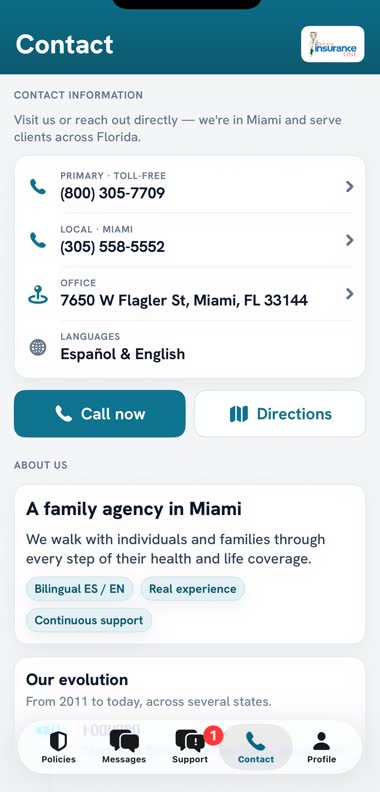
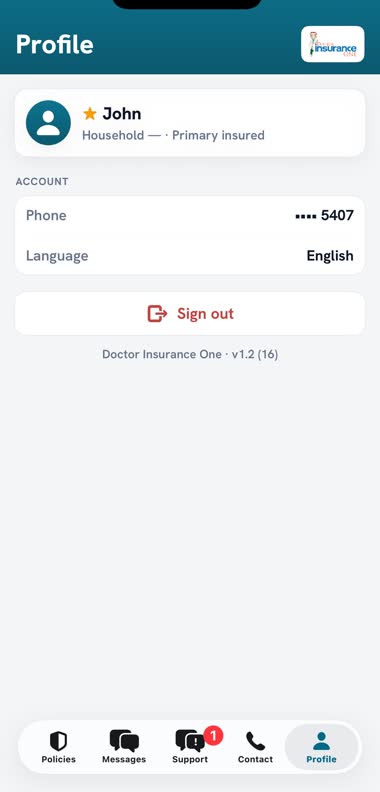
Contact carries both office numbers, one tap to call and one tap for directions. Profile shows the phone number on your account, your language, and the way out.
About the language: the app is fully bilingual, and it follows the language on your record with us. There is no switch inside the app. If it is showing you the wrong one, tell your agent and it changes the next time you open it.
What the app does with what it knows
No advertising, no analytics
There is no advertising software and no analytics software in the app at all, and it does not follow you around other companies’ apps or websites.
It never asks where you are
No location, no contacts, no calendar. It sees the photograph you choose and nothing else in your library.
Your PIN and your face stay put
Your iPhone checks your face and tells the app only whether it was you. We never receive either one.
We do not sell your information
Not ever, and not to anybody. The full policy says so at greater length.
When it does not work
| What you see | What it usually is |
|---|---|
| “We do not recognise that” | An old phone number on your record, or you are not the main person on the policy. One call fixes it. |
| The code never arrived | Check the number, give it a minute, then tap “Resend code”. A code lasts ten minutes. |
| It is in the wrong language | We set that on our side. Ask your agent to change it and reopen the app. |
| You forgot your PIN | Sign in again with your phone number and date of birth. |
| Nothing loads | Usually signal. If it keeps happening, ring us; it may be us. |
(800) 305-7709 · (305) 558-5552 · Mon–Fri 10:00 am – 8:00 pm · Sat 10:00 am – 3:00 pm
Get it on your phone
Free, in English and Spanish. If you would rather we walked you through it, call the office and we will stay on the line while you do it.